GroovyParty
Timed servings for your group.
Give every person a color, enter a quantity in millilitres, and let the app keep the log. GroovyParty timestamps each serving, groups the ones taken together, and always shows the group total and the hourly pace. On your wrist or in your pocket, and never on a server.

What you do with it
One color per person
Eight colors: red, orange, yellow, green, blue, purple, pink and gray. Give each one a name; names travel with the entries between your iPhone and your Apple Watch.
Every serving is timed
Pick a color, set the quantity to the tenth of a millilitre, tap Add. The last quantity for that color is suggested first, so a repeat serving takes one tap.
Elapsed time, in color
Every color shows a running timer since its last serving, updated every second. Red under 75 minutes, orange up to 90, green beyond: one glance tells you how long each person has been waiting.
A history that groups itself
Servings taken less than twenty minutes apart are clustered together, one line per person with quantity and number of servings. Open a cluster to see each entry and swipe one away if it was a mistake.
Total and pace, always visible
The group total and the hourly average sit at the top of the history, computed live over the current session: the servings less than two hours apart.
Fast on your wrist
On Apple Watch, three vertical pages: servings, history, settings. Dial the quantity with the Digital Crown and add a serving without taking your phone out.
iPhone and Apple Watch, in sync
A serving entered on the watch shows up on the iPhone and vice versa, including names, deletions and resets. The two devices talk to each other directly: no account, no server.
On iPhone
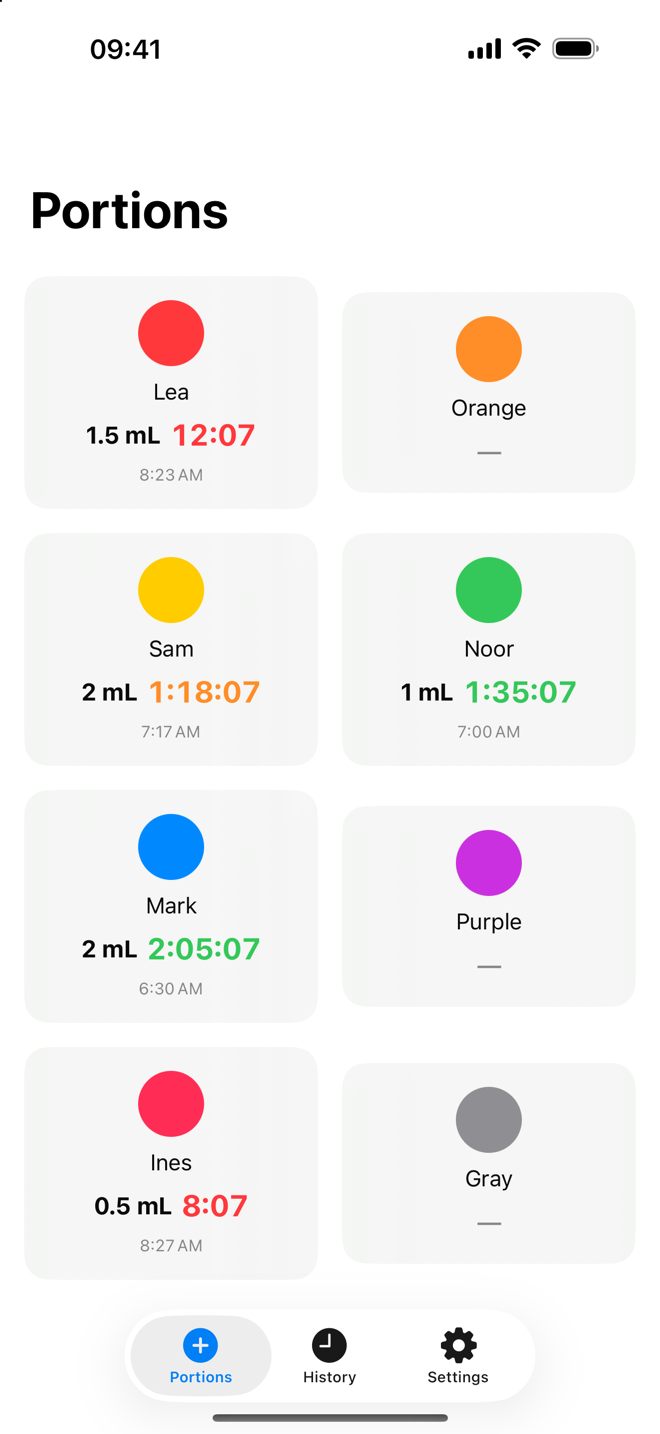
One color per person, one timer per color. 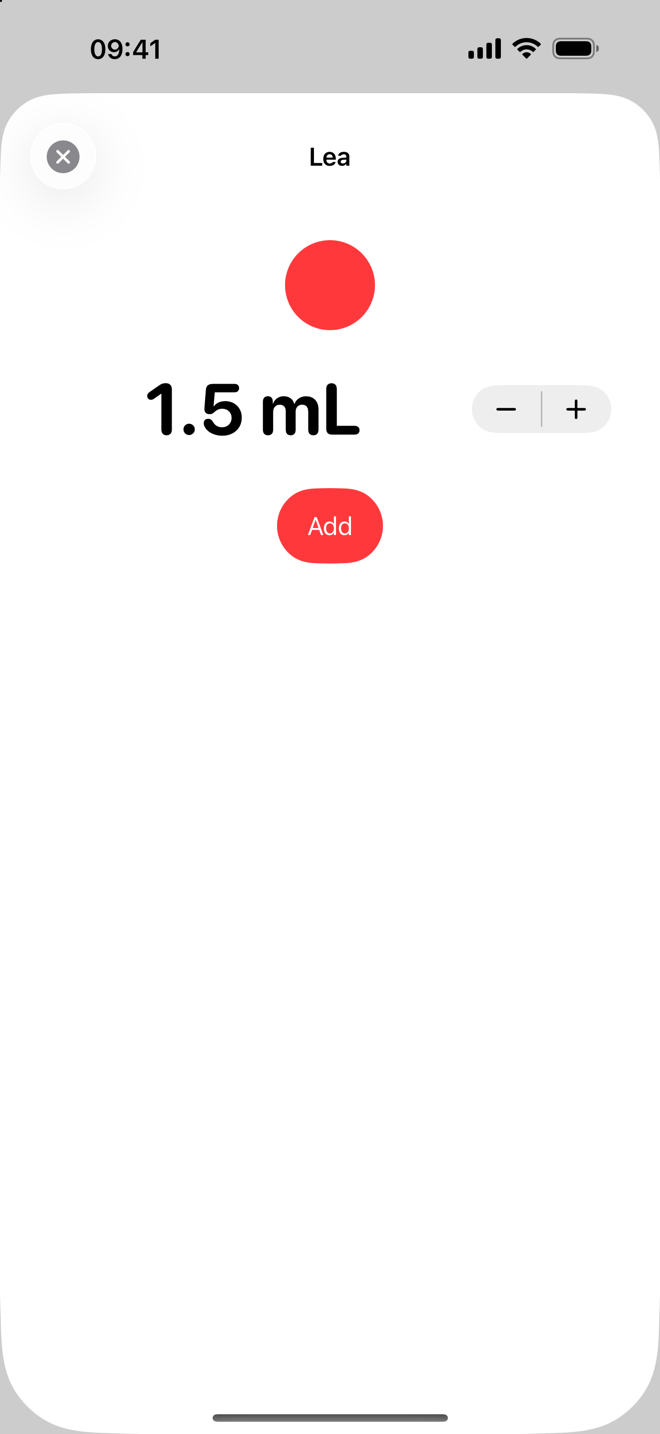
A quantity, one tap. 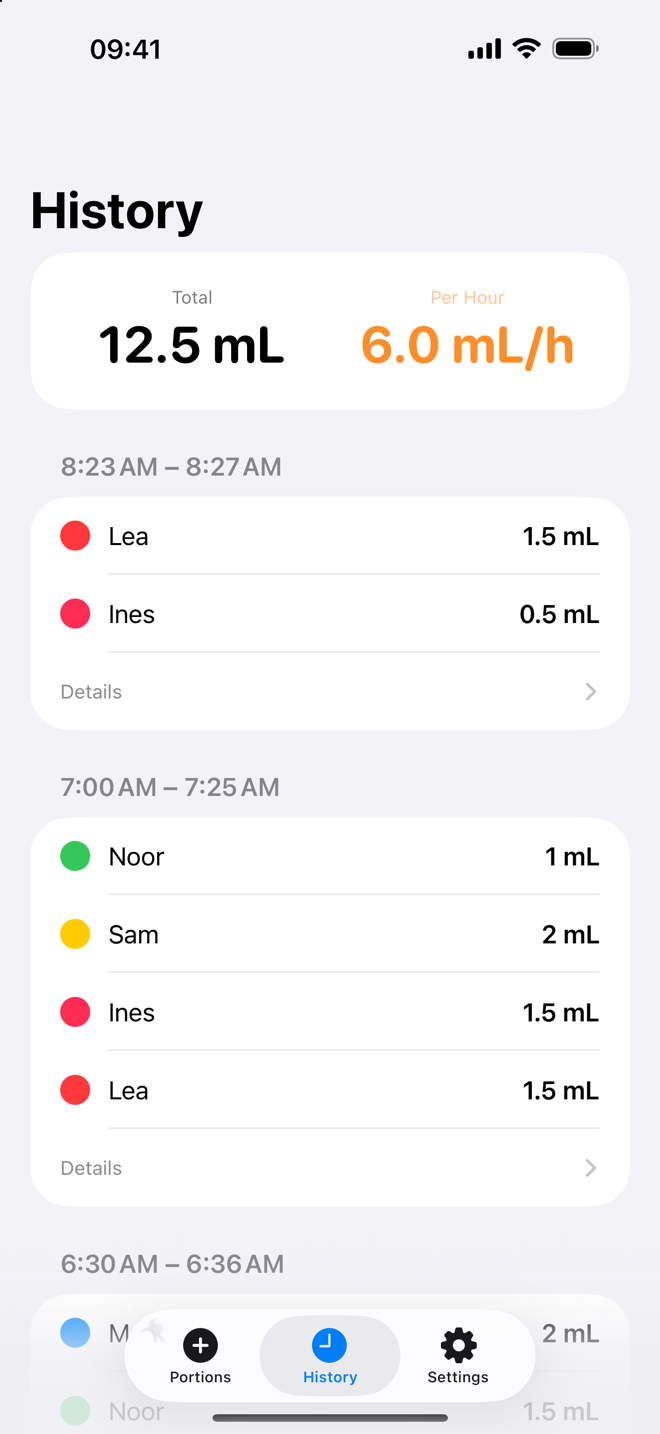
Grouped, totalled, timed. 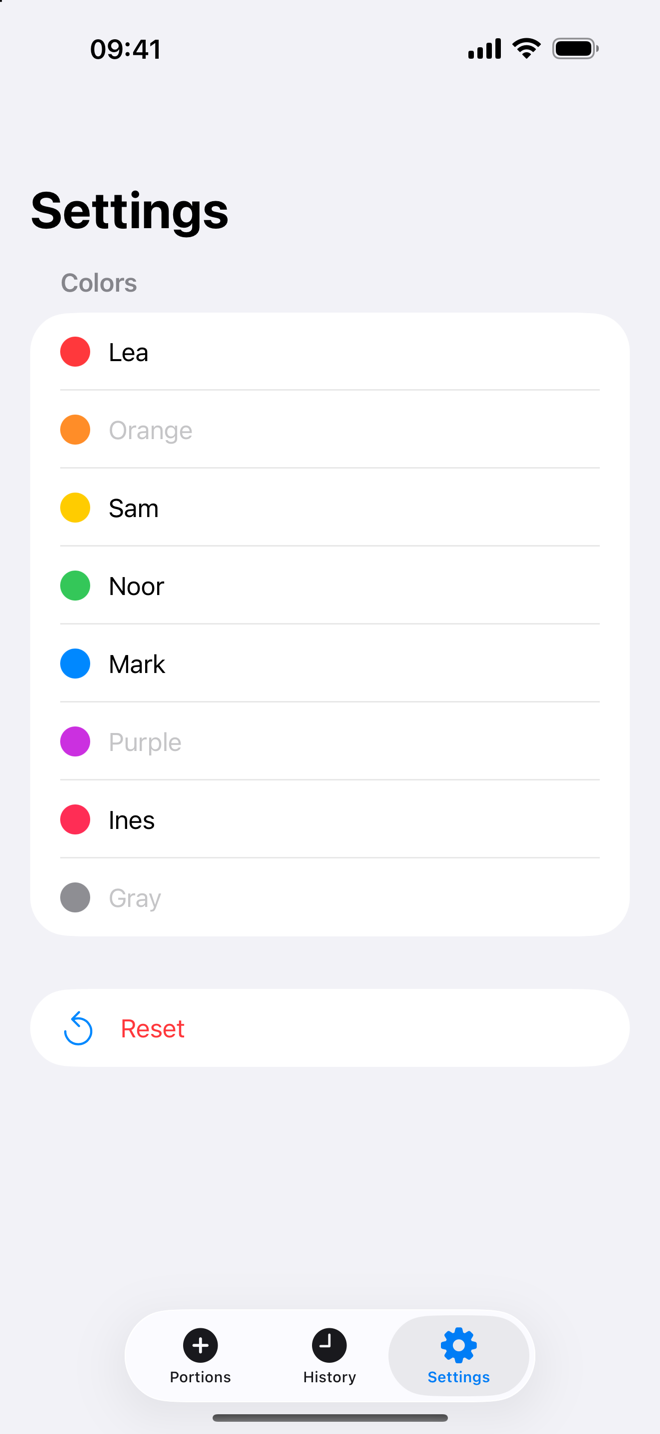
Names for every color.
On Apple Watch
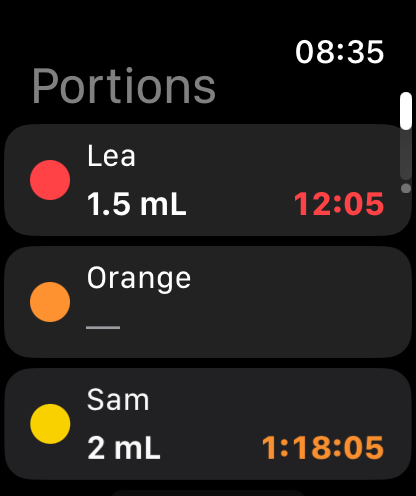
Pick a color. 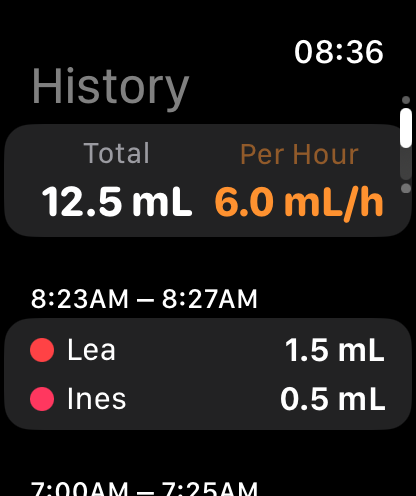
Total and pace at a glance. 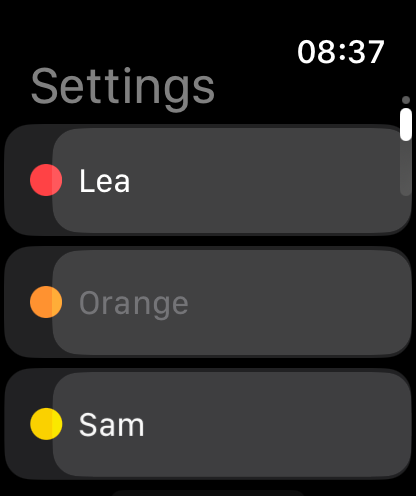
Rename, reset.
Privacy and Scope
GroovyParty is a tracking and measuring tool, and it stays on your devices:
- Zero personal data collection.
- No analytics, no telemetry, no third-party SDKs, no advertising.
- No account, no server: entries are stored locally on your iPhone and Apple Watch, and travel only between the two, through Apple’s own device-to-device link.
- A Reset button clears the servings and keeps the color names; a single serving is one swipe away from gone.
GroovyParty does not provide medical or health advice.
Technical Architecture
GroovyParty is written natively in Swift and SwiftUI for iPhone and Apple Watch, with one shared data model and a screen-for-screen identical layout on both devices.
- 100% native Swift & SwiftUI, one shared model for iOS and watchOS.
- Local storage on each device; no external dependency, no network access.
- Device-to-device sync through WatchConnectivity: live when both are reachable, queued and guaranteed otherwise.
- Names merge per color, deletions and resets propagate to both devices.
- Quantities from 0.1 to 4.0 ml in 0.1 ml steps, shown in your locale’s format.
Compatibility
iPhone: iOS 26 or later.
Apple Watch: watchOS 26.2 or later, installed together with the iPhone app.